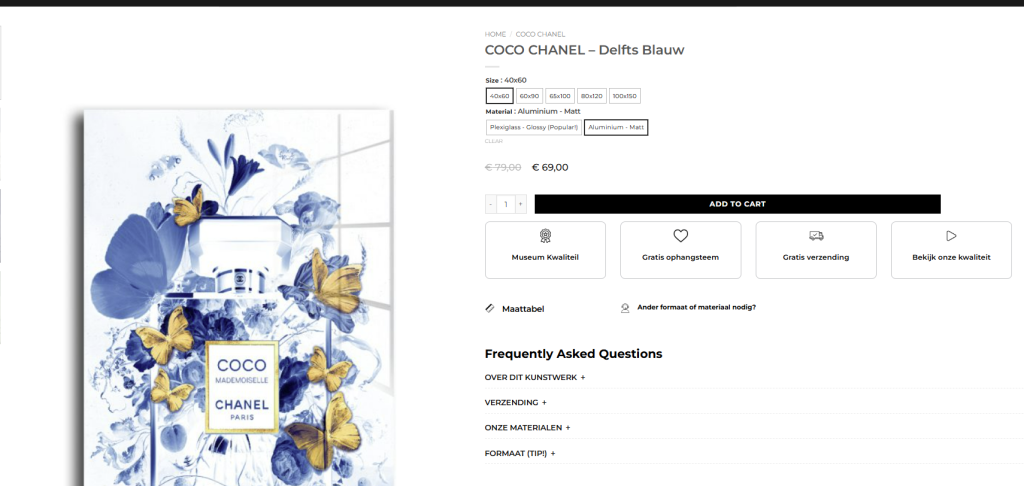
নিচের এই ইন্সপিরেশনাল ডিজাইন থেকে Flatsome theme এর প্রোডাক্ট পেজটা ডিজাইন করতে হবে। ওয়েবসাইট লিঙ্ক –
প্রথমে আমাদেরকে Variation Switcher Plugin টা ইন্সটল করে নিতে হবে এবং font size and box radius 0 দিয়ে ঠিক করে নিতে হবে। এবার কাজ হল Add to cart বাটনটাকে লম্বা করা –
.single_add_to_cart_button {
    width: 75%;
}
এখন সব থেকে গুরুত্বপূর্ণ কাজ হল উপরের প্রাইজটাকে বাটনের কাছে নিয়ে আসা এবং ভায়রিয়েশনের সাথে সাথে প্রিয়াজ চেঞ্জ হওয়া। Theme Editor -থেকে Function.php -তে নিচের কোডটা ব্যবহার করা।
/**
 * Add this code to your child theme's functions.php file
 * Flatsome Theme - Product Price Customization
 * Updated version with better compatibility
 */

// Remove default price hook and add custom one
remove_action('woocommerce_single_product_summary', 'woocommerce_template_single_price', 10);
add_action('woocommerce_before_add_to_cart_button', 'custom_price_before_add_to_cart', 5);

function custom_price_before_add_to_cart() {
    global $product;
    ?>
    <div class="custom-price-location">
        <?php echo $product->get_price_html(); ?>
    </div>
    <style>
        .custom-price-location {
            margin-bottom: 20px;
            font-size: 28px;
            font-weight: 700;
            line-height: 1.2;
        }

        .custom-price-location .price {
            font-size: 20px;
            font-weight: 500;
            color: #000;
        }

        .custom-price-location .amount,
        .custom-price-location .woocommerce-Price-amount {
            font-size: 20px;
            font-weight: 500;
        }

        .custom-price-location del {
            opacity: 0.5;
            font-size: 20px;
            margin-right: 10px;
        }

        .custom-price-location ins {
            text-decoration: none;
            background: none;
        }

        /* Hide original prices */
        .product-info > .price,
        .summary > .price,
        .product-summary > .price {
            display: none !important;
        }
    </style>
    <?php
}

// Custom price display for variable products - show single price
add_filter('woocommerce_variable_sale_price_html', 'custom_single_variation_price', 10, 2);
add_filter('woocommerce_variable_price_html', 'custom_single_variation_price', 10, 2);

function custom_single_variation_price($price, $product) {
    $min_price = $product->get_variation_price('min', true);
    $max_price = $product->get_variation_price('max', true);

    // Just show the minimum price without range
    return wc_price($min_price);
}

// Add JavaScript to update price dynamically for variations
add_action('wp_footer', 'custom_variation_price_update_script');
function custom_variation_price_update_script() {
    if (!is_product()) return;
    ?>
    <script>
    jQuery(document).ready(function($) {
        var $customPriceContainer = $('.custom-price-location');
        var originalPrice = $customPriceContainer.html();

        // When variation is found/selected
        $('form.variations_form').on('found_variation', function(event, variation) {
            if (variation.price_html) {
                $customPriceContainer.html(variation.price_html);
            }
        });

        // When variation is cleared/reset
        $('form.variations_form').on('reset_data', function() {
            $customPriceContainer.html(originalPrice);
        });

        // Ensure price is visible
        $customPriceContainer.show();
    });
    </script>
    <?php
}
এখন কাজ হল – নিচের আইকন বক্স, রুলার এবং FAQs Add করা।
Flatsome থিম থেকে Element ডিজাইন করা এবং অই শর্টকোড গুলা Function.php – তে অ্যাড করা।
// Add custom block under Add to Cart button on single product page
add_action('woocommerce_after_add_to_cart_button', 'my_custom_block_after_add_to_cart');

function my_custom_block_after_add_to_cart() {
    echo do_shortcode('[block id="single-product-layout"]');
}

add_action('woocommerce_after_add_to_cart_button', 'my_custom_size_guide');

function my_custom_size_guide() {
    echo do_shortcode('[block id="size-guide"]');
}
এখন আর একটা চ্যালেঞ্জিং কাজ হল প্রত্যেক প্রোডাক্টএর জন্য আলাদা আলাদা FAQs অ্যাড করা এবং এইটা যেন প্রোডাক্ট আপলোড এর সময় ওই প্রোডাক্টএর FAQs অ্যাড করা যায়। এর জন্য এই প্লাইগিনটা ব্যবহার করতে হবে।
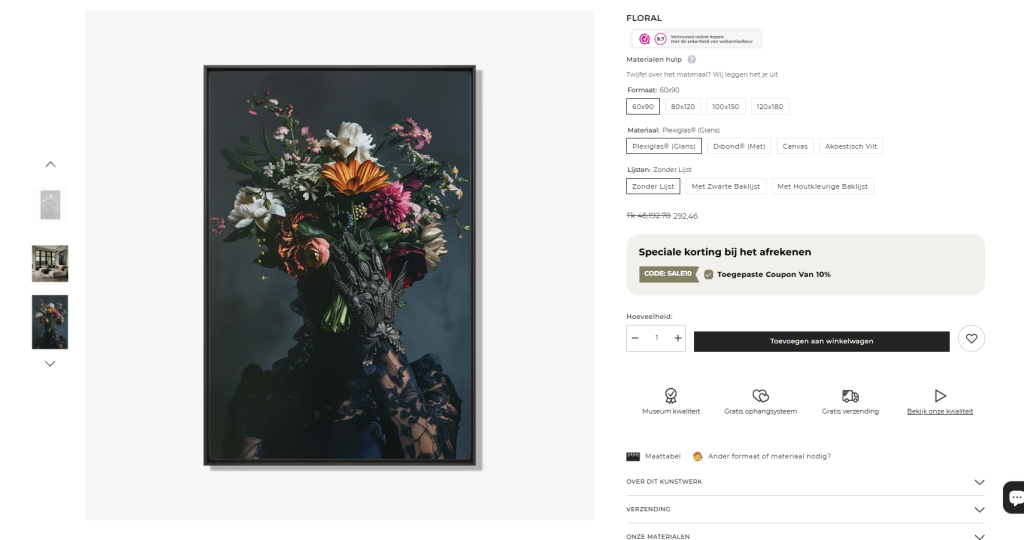
Here is the redesign looks.